A platform for service companies that connects time tracking with financial management — see how hours translate into revenue, track invoices, and monitor real margins per milestone.
Request a demoService teams — agencies, studios, outsourcing companies — juggle disconnected tools for time tracking, invoicing, documents, planning, and financial reporting. There is no single place to see logged hours, budgets, forecasts, payments, and document status together. The full picture is assembled manually, with delays, and often with errors.
The core entity in Projectly is the time log. Everything is built around it: finances, tasks, planning, reports, invoices, documents. Every logged hour is automatically converted into revenue (at the client rate) and cost (at the internal rate). Managers see plan vs actual, payment status, and document reconciliation — all in a single interface, with no manual calculations.
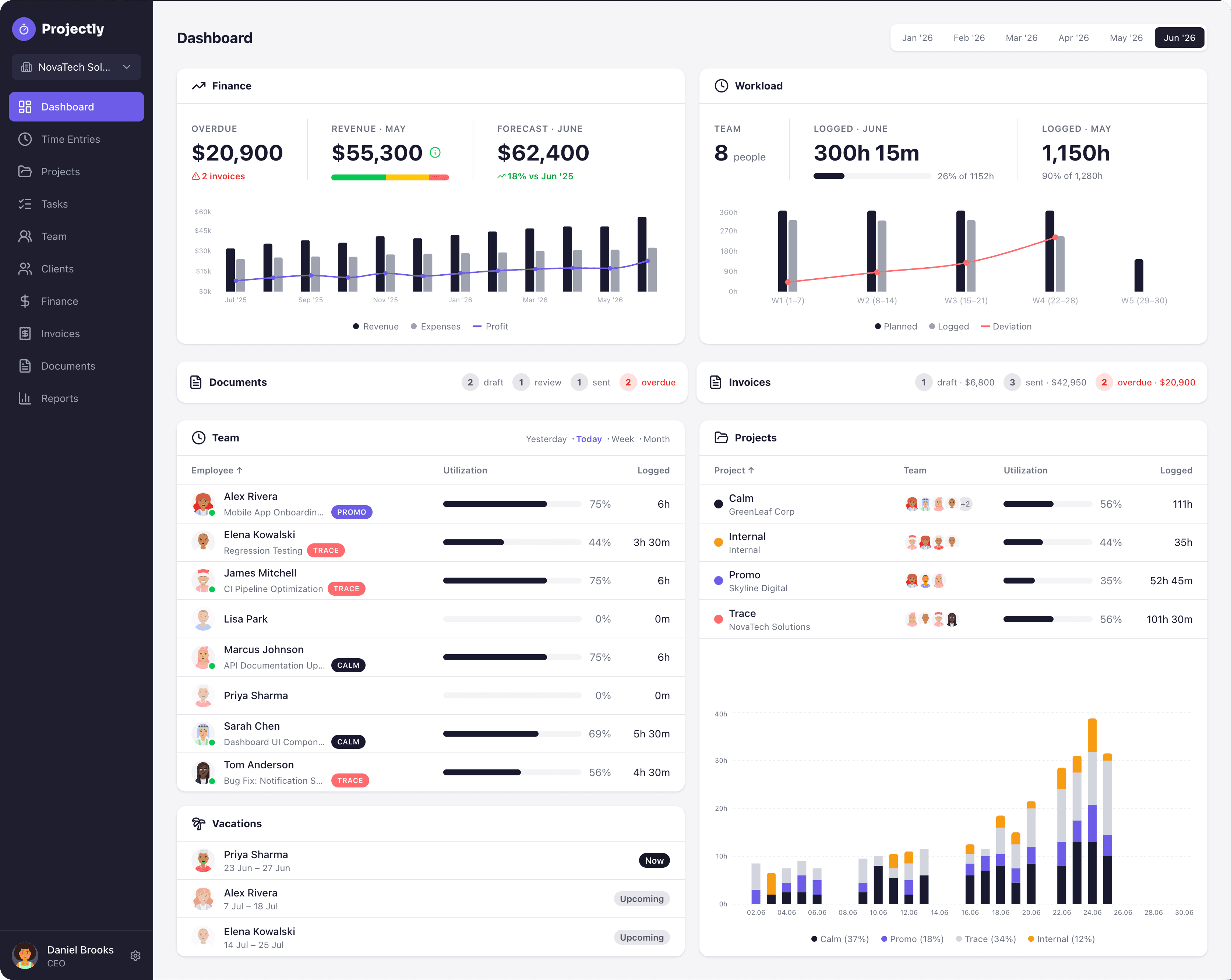
The main dashboard gives managers a complete overview: financial summary with revenue, actual revenue, forecast, and profit trends over time, team workload with utilization and logged hours, document and invoice status at a glance, per-project utilization breakdown, and upcoming vacations — all on a single screen.
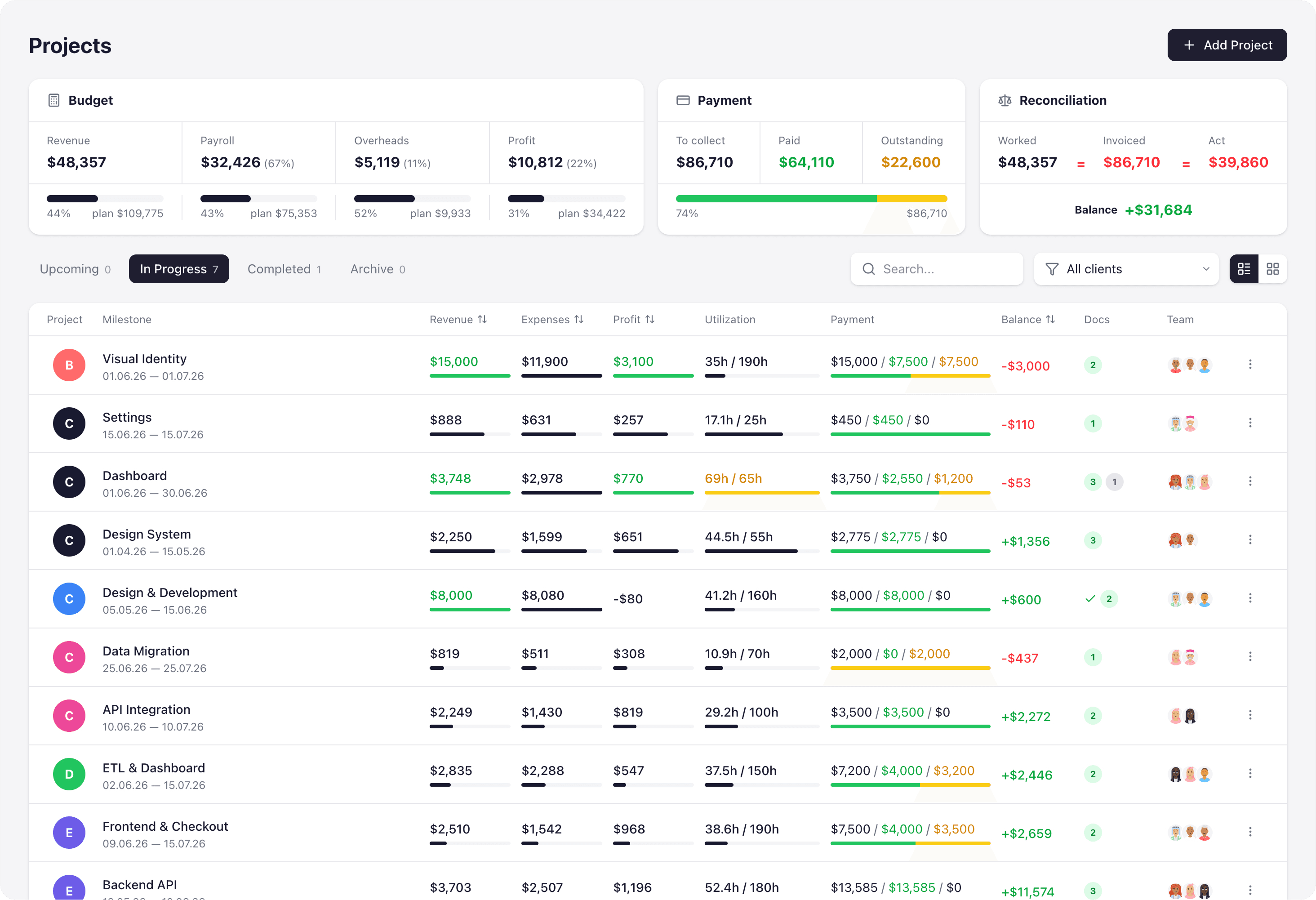
The Projects page aggregates finances across all active milestones. The top row shows Budget (plan vs actual bars for Revenue, Payroll, Overheads, Profit), Payment status (To Collect, Paid, Outstanding with color-coded bars), and Reconciliation (Worked = Invoiced = Act with green/red match indicators). The milestone table below shows per-milestone revenue, expenses, profit, utilization, payment status, balance, and document badges.
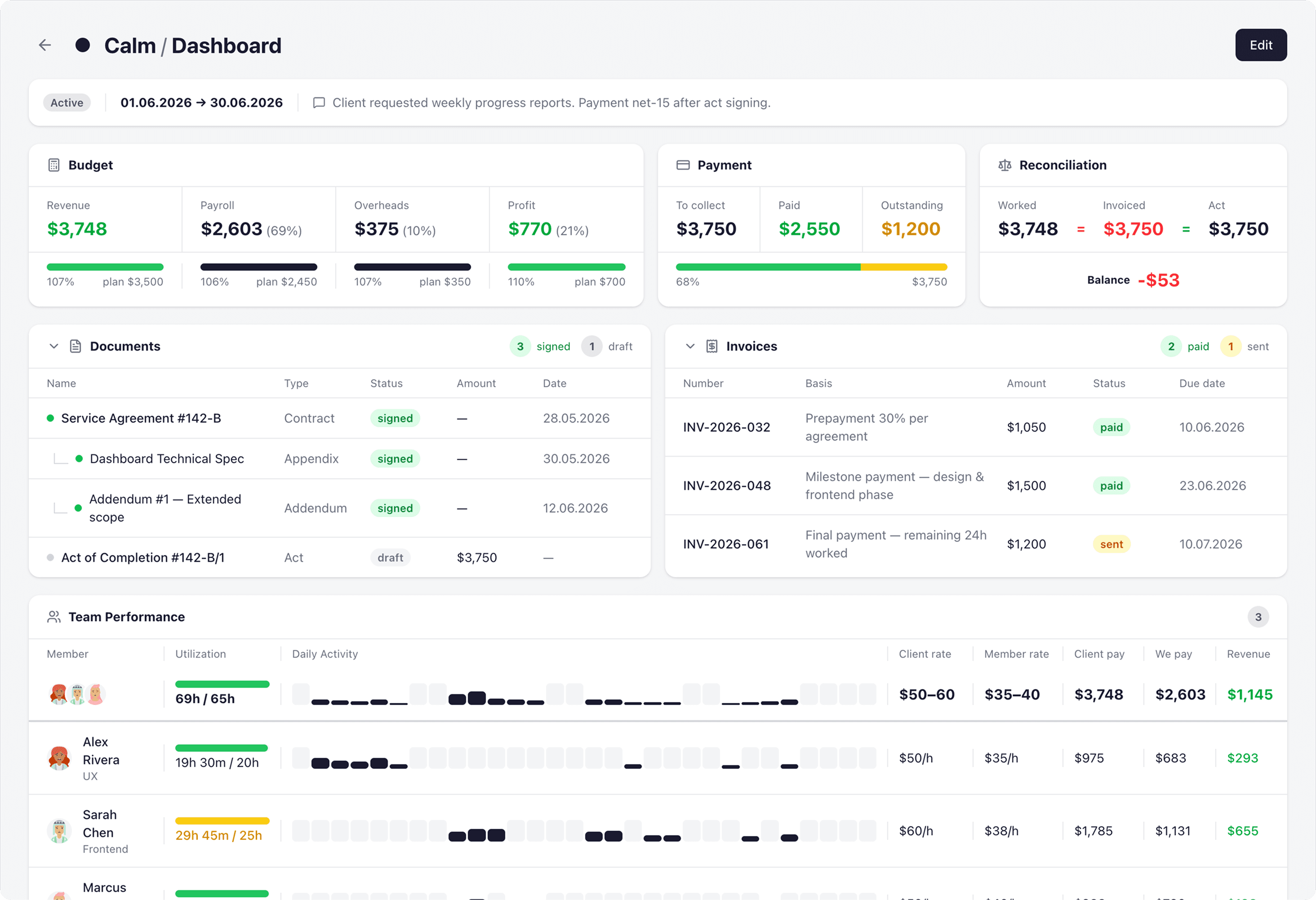
Each milestone has a detailed view with Budget, Payment, and Reconciliation blocks at the top, followed by Documents (Contract, Appendix, Addendum, Act — each with draft/signed status) and Invoices (with number, basis, amount, status, and dates).
The Team Performance section shows per-member utilization, daily activity heatmap, client and internal rates, and calculated revenue per person.
Below, a Tasks & Time Logs section lists all tasks with assignees, statuses, and logged time — expandable to show individual time entries with dates, durations, and descriptions.
An Activity feed at the bottom provides a chronological timeline of all events: time logs, task status changes, invoice updates, and document signings.
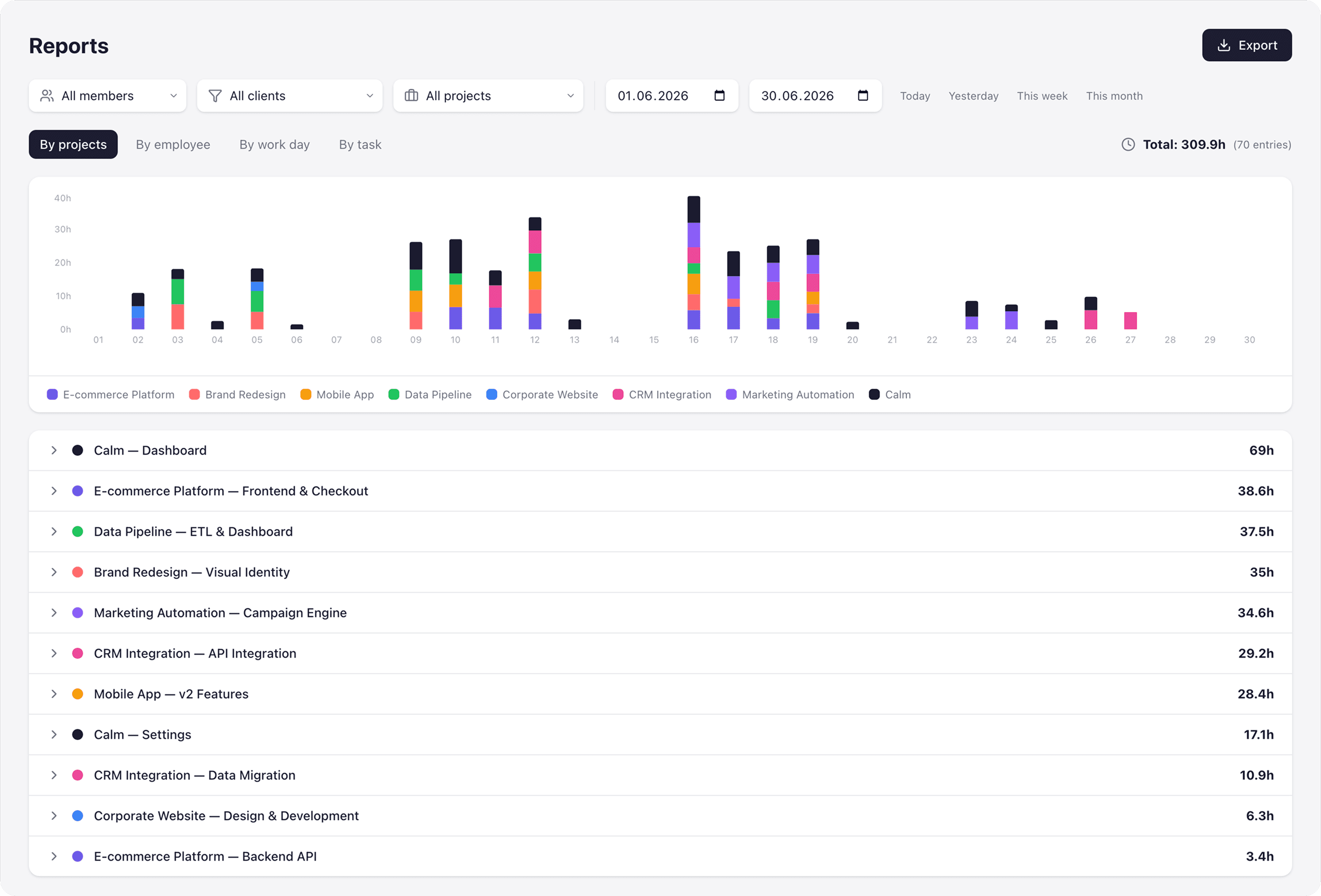
The Reports section lets managers analyze time data from different angles — by project, by employee, by work day, or by task. A stacked bar chart shows daily hours distribution across projects, with filters for team members, clients, projects, and date ranges. Below, a breakdown lists each milestone with total hours logged.
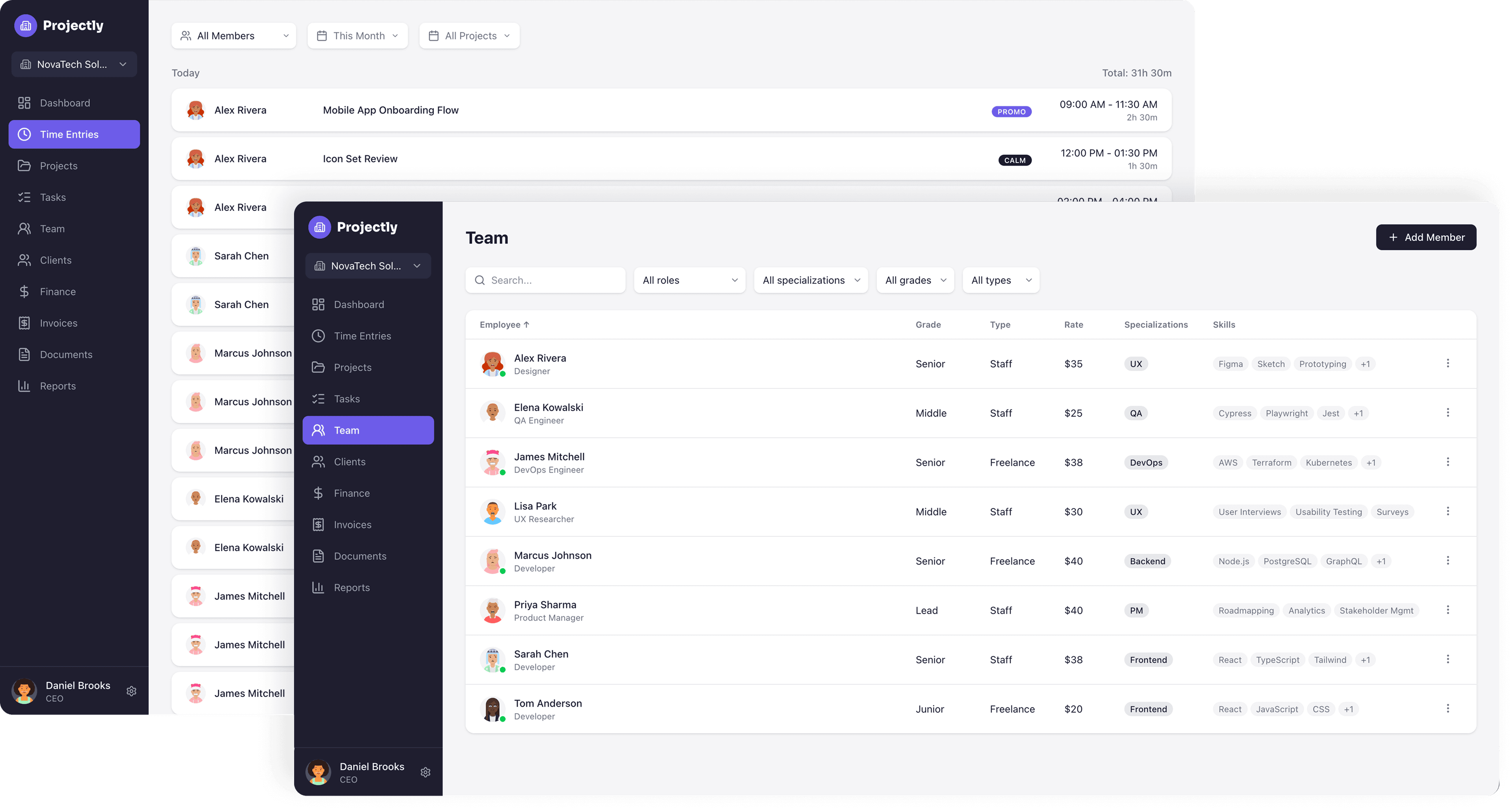
The Team section displays all employees with their grade, type (staff or freelance), hourly rate, specialization, and skill tags — filterable by role, specialization, grade, and type. The Time Entries view on the left shows a consolidated log of all team members' work for the selected period, with project tags and time ranges.
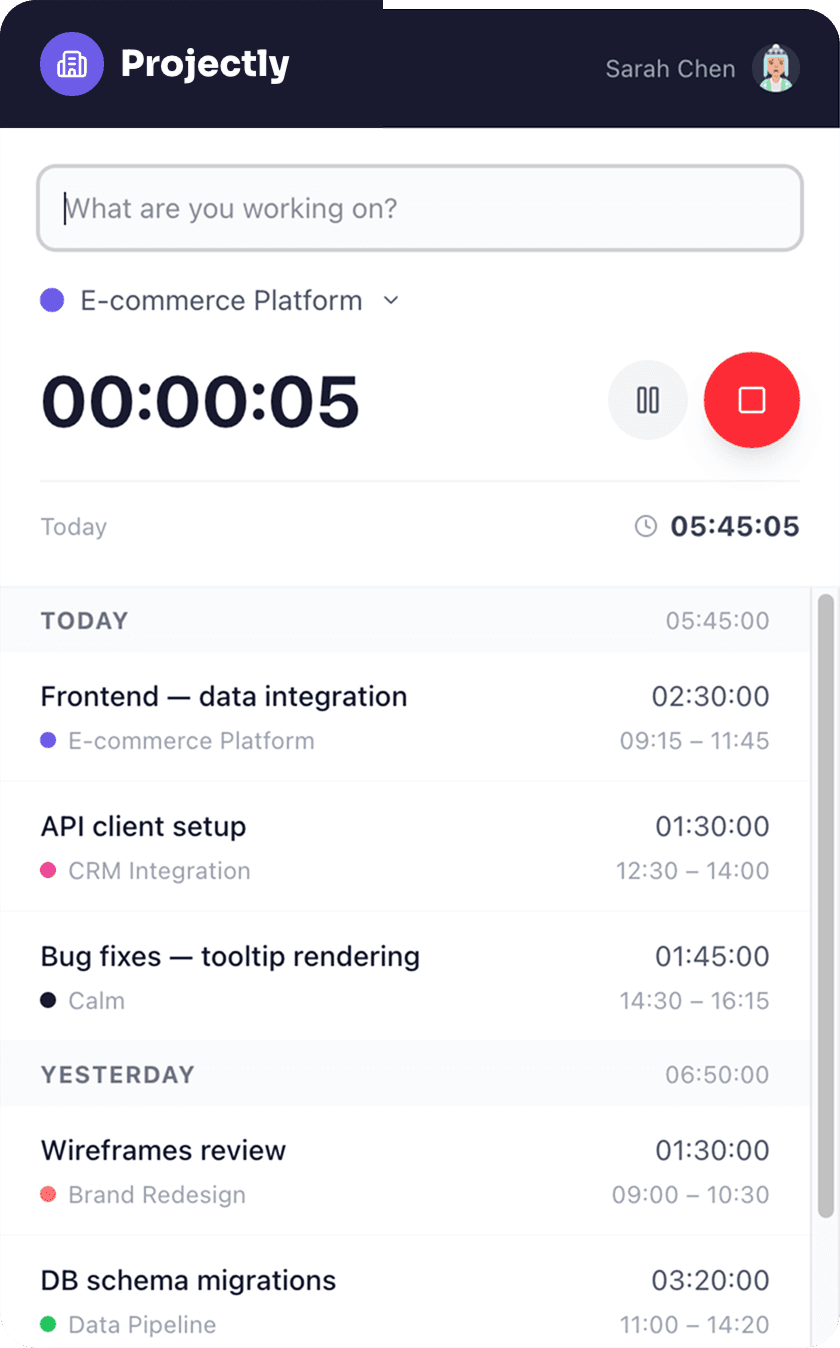
The desktop time tracker app lets team members log hours without switching to the browser. A live timer with pause and stop controls tracks the current task. If the user is inactive for 10 minutes (no mouse movement detected), the timer automatically pauses so idle time is never billed. Below, a chronological list shows all entries for today and previous days — task name, project, time range, and duration.
Projectly is available as a live demo. We offer full deployment to your infrastructure as a one-time purchase. Custom development and integrations available on request.
Request a demoLiked this project? Let us know!
Let's talk about your idea. We'll tell you what's possible and how fast.
Get a free consultation